See what is being tested on every release, and keep QA moving as fast as your developers ship.

"Is the release tested?" should not need a meeting. Qatch keeps every release candidate ticket on one page, with where it stands and the proof behind it.
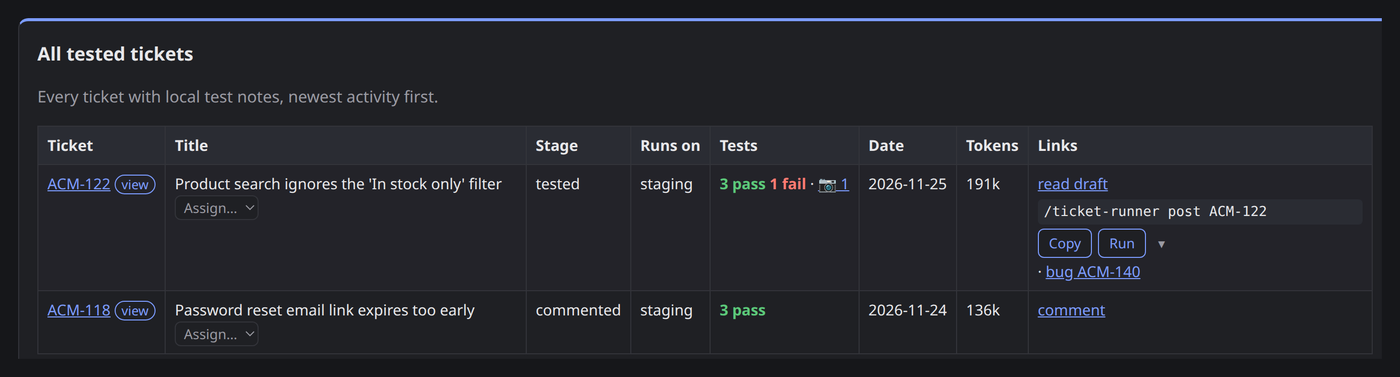
From the Qatch demo, with sample data.
Your developers ship faster with AI. Qatch gives your testers the same lift, so the release candidate queue stops being the thing everyone waits on.
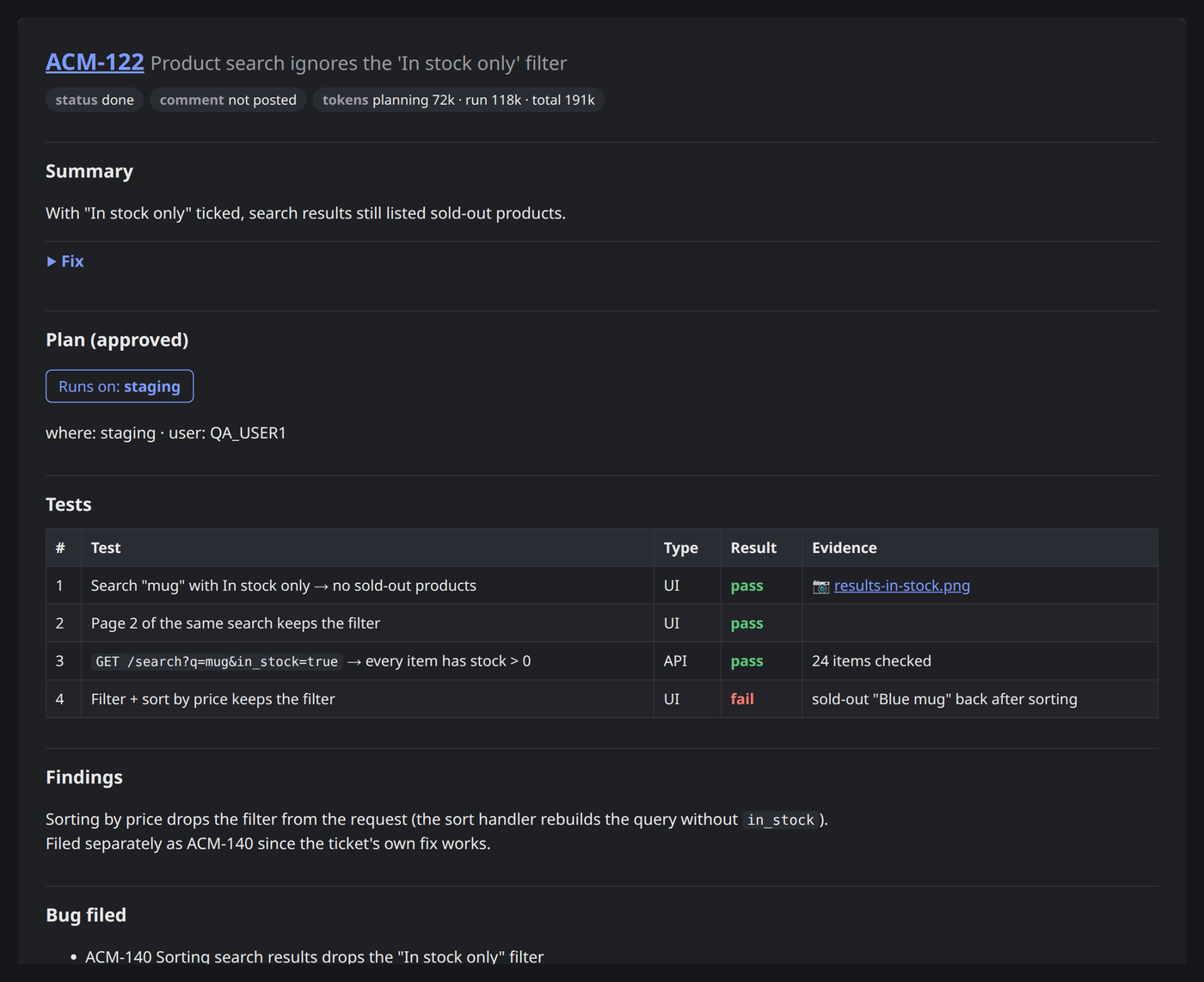
One ticket in Qatch: plan, results, findings and the bug filed. Sample data.
Qatch does the legwork. Your tester decides at three points: the plan, the results and the exact text that goes to your tracker.
Lists the release candidate tickets nobody has tested yet, so nothing slips through.
Reads the ticket, the change, your docs and related tickets, then proposes a test plan. Your tester edits and approves it.
Sets up test data, runs the approved tests in the browser and the API, retries anything that fails, and cleans up.
Your tester keeps or drops each finding and decides what is a bug and what is a question.
A clear comment with screenshots goes on the ticket, and any new bug is filed, once your tester approves.
Qatch never posts a comment or files a bug on its own. Your tester sees the exact text first, and a safety check blocks any write that was not approved.
Product teams that ship often and have a small QA team, or developers who do the testing. It works best when tickets move to a "ready to test" state before each release.
Linear and GitHub today, for web apps with a test environment and a test login. Jira and GitHub Issues are next.
Read-only access to the repositories gives the sharpest plans, because Qatch reads the change behind each ticket. You choose the repositories, and Qatch never writes to them.
No. It takes the repetitive work off them: reading the change, writing the plan, clicking through the checks and writing up the result. Your testers make the calls and approve what is posted.
We set Qatch up on your project with you, test real release candidate tickets together for a few weeks, and track how long tickets wait between "ready to test" and "tested".
Tell us a little about your team and your release cycle. We'll set up a short call to see whether a pilot fits.